
A Morning on the Dock: Why It Feels Harder Than It Should
I once watched a shift start with a bang—literally. A pallet clipped a corner, the aisle traffic froze, and three people tried to pivot it back into place like a slow-motion dance. The pallet stacker was fine, but the flow was not. In a typical hour, operators lose minutes to tiny stops: looking for clear lanes, re-centering loads, rechecking labels. Multiply that by a whole shift and the “little” delays add up to big overtime. One study puts idle travel and empty returns at up to 30% of motion in some facilities. Shocking? Sort of. Expected? Also yes.

So here’s the kicker—if the work is repeatable and mapped, why do we still miss targets on busy days? Is it the tools, the layout, or the thousand micro-decisions no one logs? (Probably a bit of each.) And if a smoother handoff can fix hours of chaos, what’s the simplest path that doesn’t blow the budget? Let’s move from the scene to the system and see what really jams the gears—then how to unjam them.
Under the Hood: The Deeper Problems With “Good Enough” Stackers
That dock scene above points to a pattern: it’s not just muscle; it’s variability. An autonomous stacker forklift tackles the flow itself, not just the lift. Traditional pallet stackers—manual or semi-electric—leave timing to humans, who juggle traffic, labels, and fatigue. That’s where the variance lives. You feel it in inconsistent cycle times, in aisle standoffs, in rework when a load center shifts and the mast oscillates. You also see it in deadheading: empty returns with no plan. Look, it’s simpler than you think—the gaps are structural.
Conventional gear isn’t wired for real-time choices. No sensor fusion, no dynamic routing, no edge computing nodes at choke points. Battery swaps happen late because the battery management system isn’t visible to schedulers. CAN bus faults pause shifts because diagnostics are manual. And the operator’s line of sight? Blocked by stretch wrap and a busy fork carriage—funny how that works, right? Without LiDAR or SLAM-grade mapping, you get stop-and-go traffic instead of coordinated flow. The result is safe enough most days, but lumpy. The cost is hidden in every small stop you don’t measure, then counted later in overtime and missed slots.
Where do the delays really come from?
From unplanned movement, from guesswork on routes, from late battery alerts, and from handoffs that depend on whoever is closest. The tool lifts fine; the system stumbles.
Comparative Lens: Principles Driving the Next Leap
Now compare the old stacker to a coordinated fleet. The difference isn’t just power; it’s logic. An autonomous stacker forklift runs on new principles: sensor fusion (LiDAR plus depth cameras), continuous SLAM mapping, and traffic control that talks to your WMS. Instead of “go there next,” it prioritizes by aisle load, dock windows, and queue length. Edge compute nodes near bottlenecks help plan turns and timing. The powertrain stabilizes torque to reduce sway. Smart power converters and a visible BMS enable opportunity charging between runs. Small tweaks, big effect.
What’s Next
Short term, expect better orchestration—fleet scheduling that reduces empty travel by design, and geo-fencing that enforces safe zones without slowing flow. Mid-term, look for tighter APIs to ERP and WMS, lower integration latency, and safer path planning aligned with ISO 3691-4. Long term, the floor feels calmer: fewer near-misses, fewer queue clogs, more predictable throughput. Not magic—just fewer decisions left to luck. Real-world pilots already report reduced cycle time variance, steadier uptime, and cleaner handoffs at racks and docks. And yes, those awkward aisle standoffs? They drop when traffic is paced—funny how that works, right?
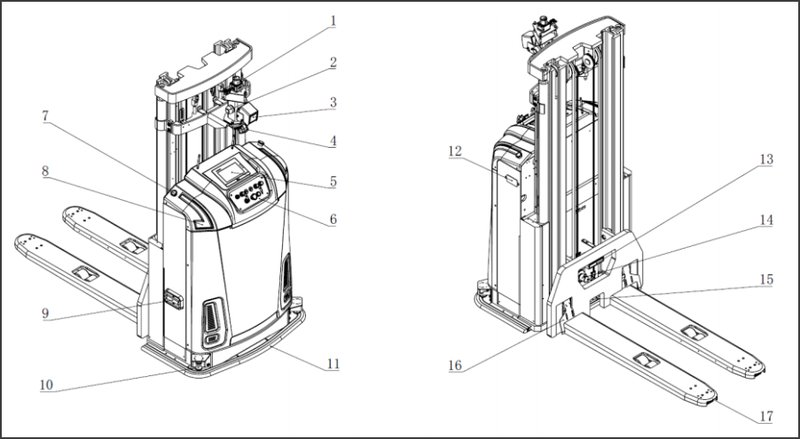
So, how do you choose what’s right for your site? Use three clear metrics. One: cycle time variance across peak versus off-peak (lower is better). Two: safety events per 1,000 picks, including near-misses from telematics. Three: integration latency from WMS order release to first movement. If a system—manual, mixed, or autonomous—improves those without blowing aisle width, mast stability, or load center rules, you’re on the path. For deeper dives into control stacks, mapping, and safe autonomy, keep an eye on practical builders like SEER Robotics.